
A big week for Digitalgrub Studio: batch packs, free AI captions, and video
By Sara · · 4 min read
Digitalgrub Studio is our photo studio for social media, built as an iPhone app. You give it a photo, it analyzes it, crops it well, lets you put words on it, and hands back an image sized for Instagram or LinkedIn. The app is in testing now, on its way to the App Store.
Between July 16 and 18 the Studio grew faster than anything we have built: fifty commits in three days, and the iPhone app went from build 5 to build 12. These are the four things that actually landed.
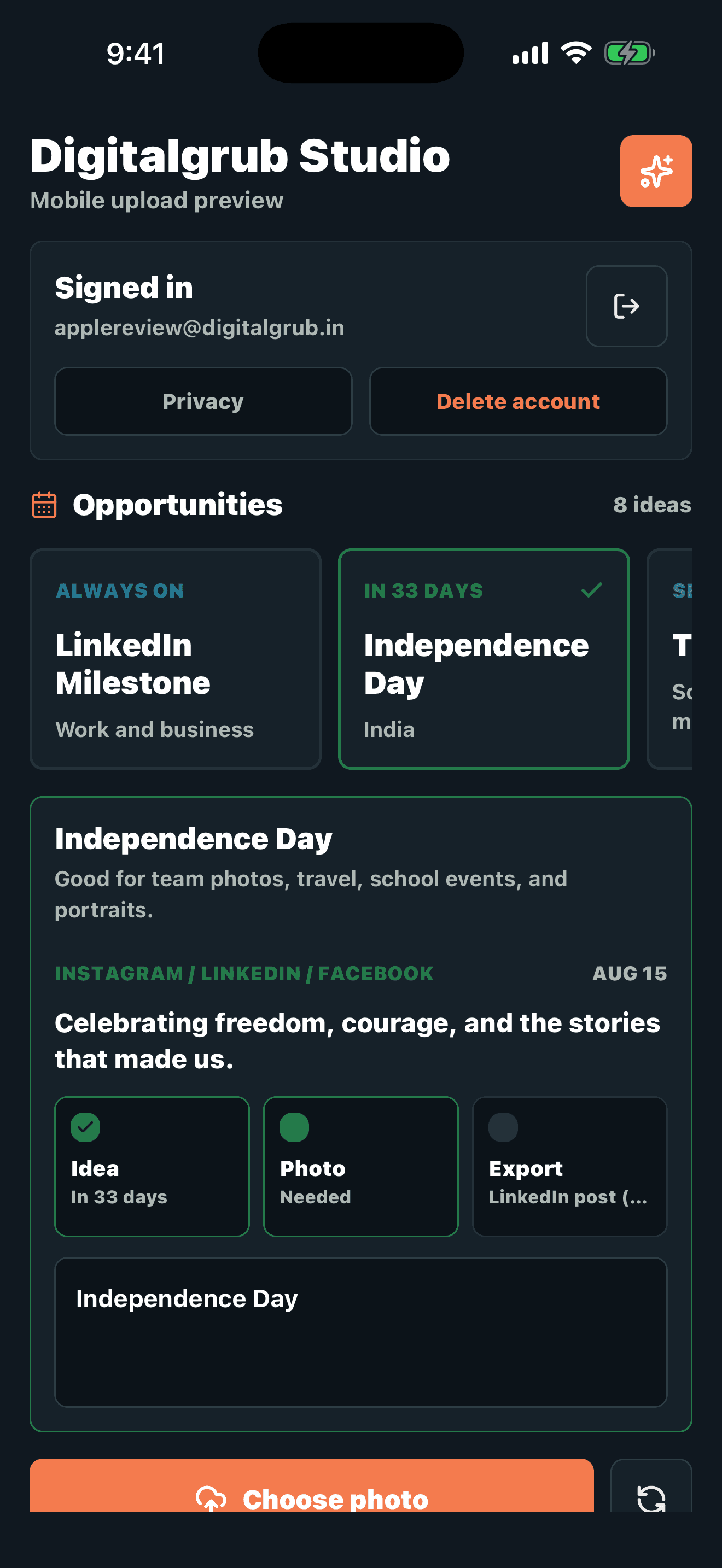
The app's home: occasion ideas like Independence Day, each waiting for a photo.
1. Ten photos at a time, not one
The Studio used to take one photo at a time. Real life does not arrive one photo at a time — after a shop opening or a school event you have a camera roll full of them. So we built Batch Pack: pick up to ten photos, and each one gets its own AI analysis, its own crop and its own edits, with a little status strip showing where each photo is in the queue. When they are done, one tap saves the whole pack to your Photos.
The honest part of this week was the unglamorous fixes underneath it: a broken save, photos being analyzed twice for no reason, and a race condition when two writes landed at once. All fixed in the same three days, and the commits say so plainly.
2. Caption suggestions that cost us nothing per click
There is now a Suggest caption button. The Studio looks at what is in your photo and offers a caption and hashtags to start from. The interesting part is where it runs: on a model we host on our own server, not on a paid API.
That choice matters for a tool meant for small businesses. If every caption cost us an API call, we would eventually have to pass that cost on. A model on our own machine means the button can be pressed a hundred times a day and the bill does not move. It will not write poetry, but it gets you off the blank page, and you edit from there.
3. Tamil and English in the same line
Around here a caption is rarely one language. A Teachers' Day wish or a shop anniversary post mixes Tamil and English in the same sentence, and most tools quietly fall apart on that — one script renders, the other becomes empty boxes.
We hit exactly that bug this week: English text on an overlay rendering as boxes. The fix was to teach the renderer to walk the text and switch fonts per script, so a line like “நன்றி, Teacher!” draws each part in a font that can actually draw it. It is the kind of detail nobody notices when it works, and everybody notices when it does not.
4. A handful of photos becomes a small video
The Studio can now make a video. Multi-select photos in your library, and the server renders them into a short slideshow — sized to the format you chose, title centered, with a gentle alternating zoom so it does not feel like a slideshow from 2009. The rendering runs as a background job on our server, so your phone is not the one doing the heavy lifting.
It is a first version. But a shop that has ten photos from an opening day now has a reel to post, not just a grid.
Where it is now
The Studio is not on the App Store yet; it is in testing, and going from build 5 to build 12 in three days is what getting it ready looks like. When it launches, the Journal will say so.
The Studio is also open source, so if you are curious how any of this works — the per-script font runs, the video renderer, the self-hosted captions — the code is public and the commit history tells the story straighter than any blog post can.