
We built a Sudoku for people over fifty
By Sara · · 4 min read
Hand a phone Sudoku app to someone over fifty and watch for a minute. They lean in to read the squares. They close an advert after every puzzle. They lose a game to a timer they never asked for, or to a three-mistakes-and-you’re-out rule that turns a quiet hobby into a test. DG Sudoku is the same puzzle without any of that.
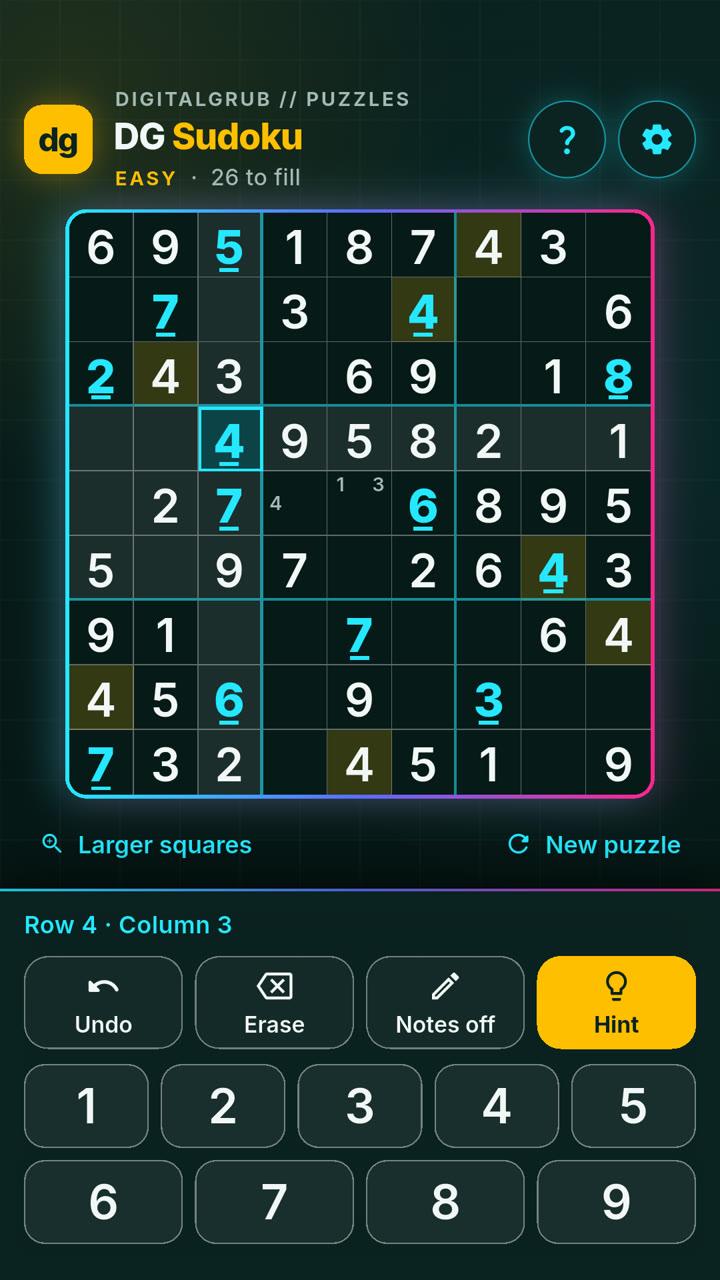
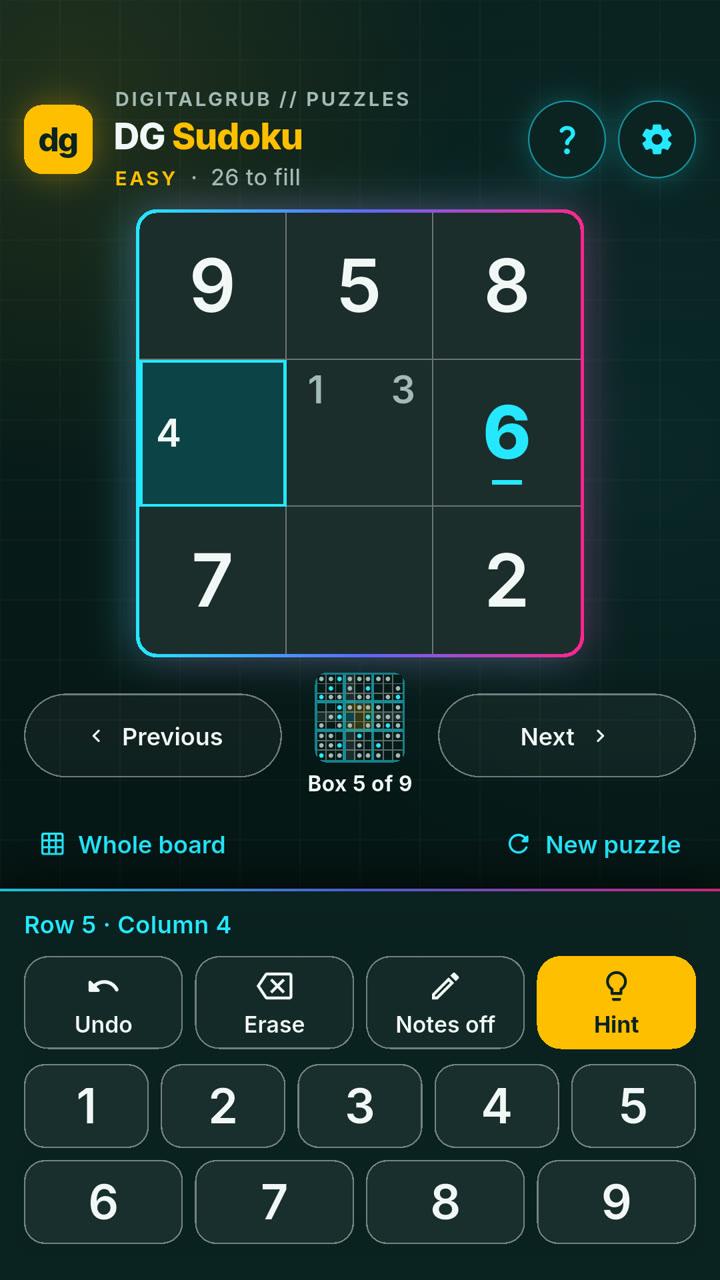
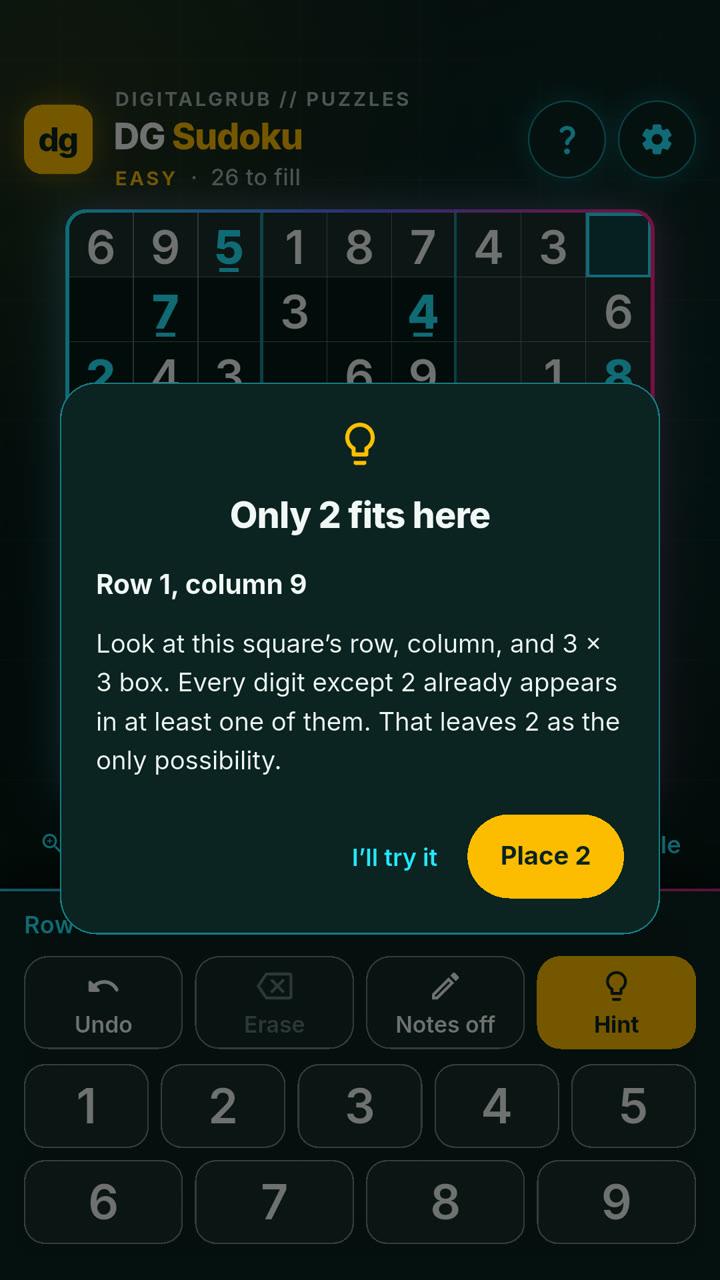
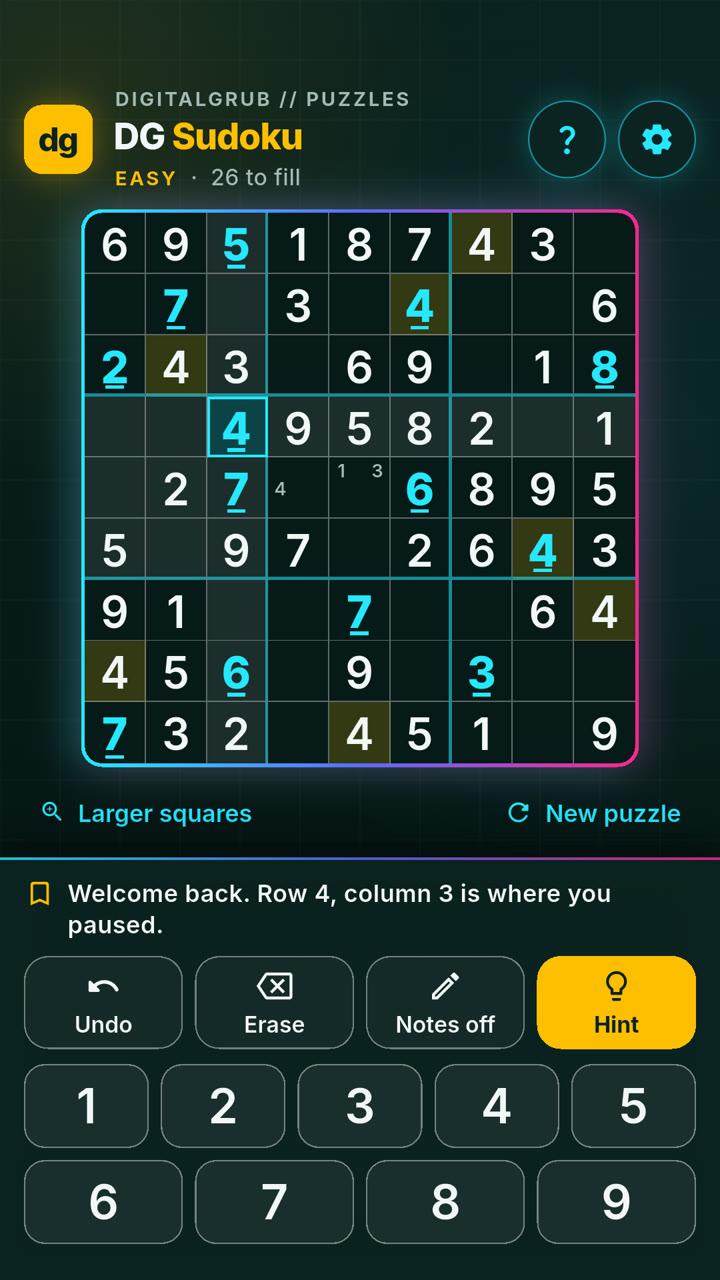
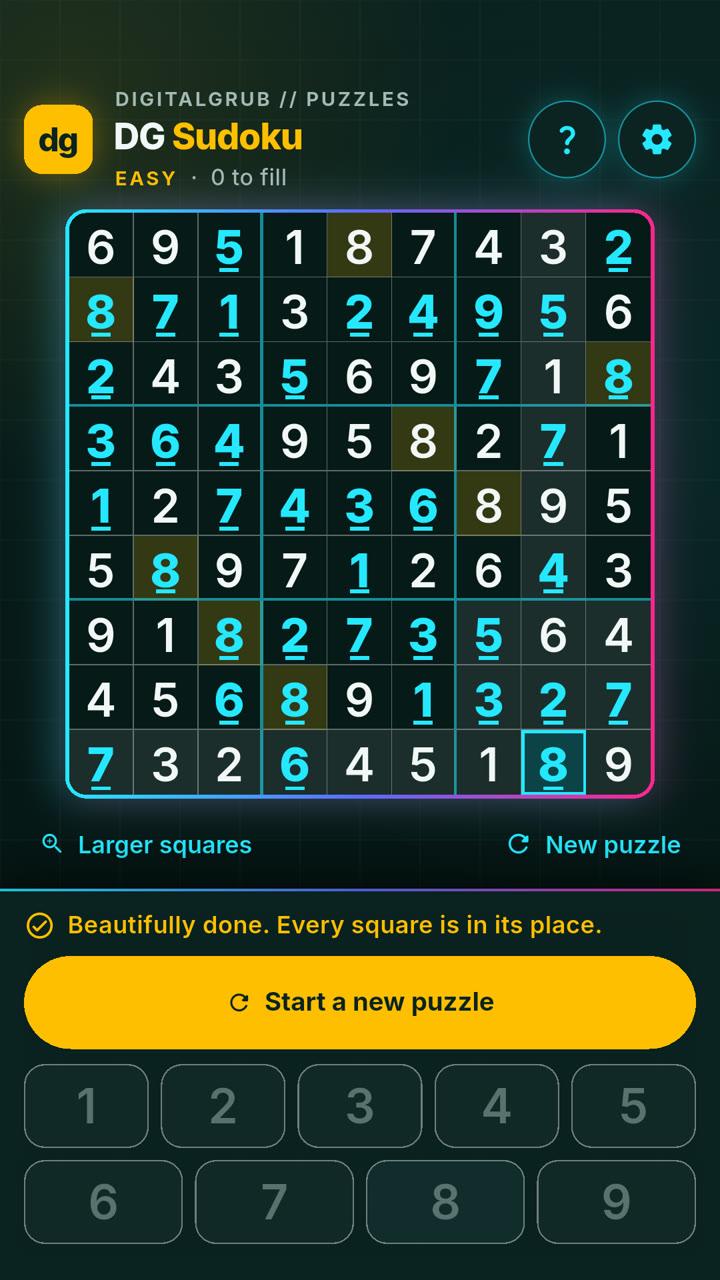
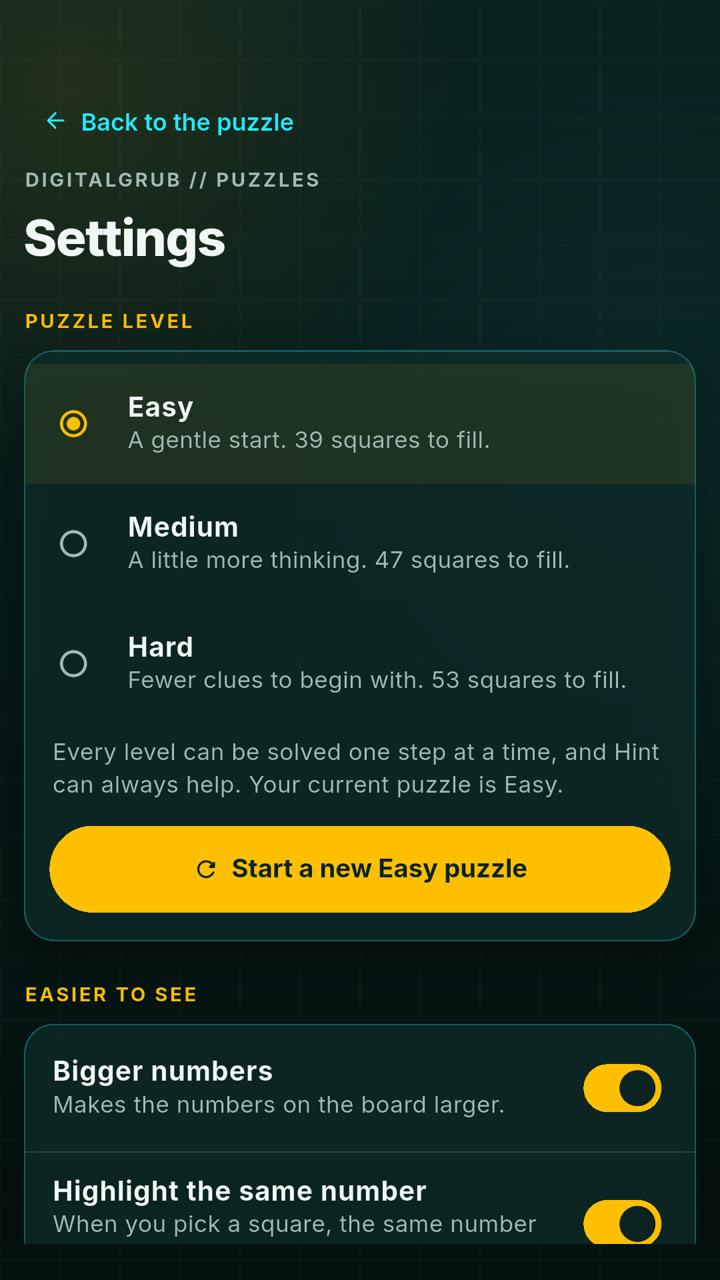
What it does differently
- Larger squares, behind a button that says so. One tap enlarges a single 3×3 box; Previous and Next move between boxes. No pinching, and no gesture anyone has to discover by accident.
- Hints that teach. The first tap shows where to look. The second explains, in plain words, why the move works. The number is placed only if you ask — the point is to get better, not to be handed answers.
- Mistakes cost nothing. There are no lives to lose. If a number doesn’t fit, the app points you back to that square and you simply try again.
- It remembers where you were. Your puzzle, notes and undo history are saved as you play, and when you return it points to the square where you paused.
- No ads, no account, and no internet at all. There is nothing to sign up for and nothing to collect.
Three levels, all solvable by logic
Easy is a gentle start, with 39 squares to fill. Medium leaves 47 and Hard leaves 53. Every puzzle is original, made on the phone itself, and has exactly one solution — and at every level it can be solved one logical step at a time. That is why Hint can always help, and why it never has to guess.
Settings also keeps a quiet record of progress: how many puzzles you have finished at each level, and how many days in a row you have played. Nothing more competitive than that.
It never touches the internet.
DG Sudoku does not have permission to use the internet at all. So there is nothing to collect, and nothing is collected: no ads, no analytics, no account, no sign-in. Your progress lives on your phone and nowhere else. It works the same on a flight, in a village with one bar of signal, or with mobile data switched off.
Built to be read, not squinted at
The numbers are big and high-contrast on a calm dark board, and the comfort settings — bigger numbers, highlighting the same number, shading the row, column and box you are working in — are all switched on from the first launch. Nobody should have to find a menu to make an app readable.
On a phone, the number keys, Undo, Erase, Notes and Hint stay fixed at the bottom of the screen, in the same place every time. Your own numbers are underlined, and repeated numbers are marked with “!”, so nothing depends on telling colours apart. It was checked with the phone’s text set to double size, and every square has a spoken label for screen readers.
Why we build things like this
Designing for people over fifty is not a niche. It is most of the people who call a clinic, walk into a bank branch or deal with a government office. The habits behind DG Sudoku — words on buttons instead of hidden gestures, nothing that relies on colour alone, never punishing a mistake — make any app easier for everyone who uses it. If your customers skew older, that is a conversation worth having.
Get it
DG Sudoku is free on Google Play for Android phones and tablets. The iPhone and iPad version is in App Store review, and its button will appear here the day Apple approves it. The rest of what we build is on the apps page.
Get it on Google Play