
How I brought DG Stress Buster to Apple Vision Pro
By Sara · · 3 min read
DG Stress Buster is a small app I made. Bubbles float up, you tap them, they pop. No score, no timer, no login. It is on the App Store for iPhone and iPad.
Then I got curious about Apple Vision Pro. I had never written anything for visionOS. These are my notes from figuring it out.
Step one: I started with a window
The first thing I learned is that visionOS will run your app in a floating window without much work. I added the platform to my Xcode project and the same bubble scene came up in a panel in front of me. It took about fifteen lines of change.
It worked. But it felt wrong. I was wearing a headset and looking at a small rectangle floating in the air. That is just my phone screen, bigger and further away. If someone puts on a Vision Pro, they did not do it to look at a rectangle.
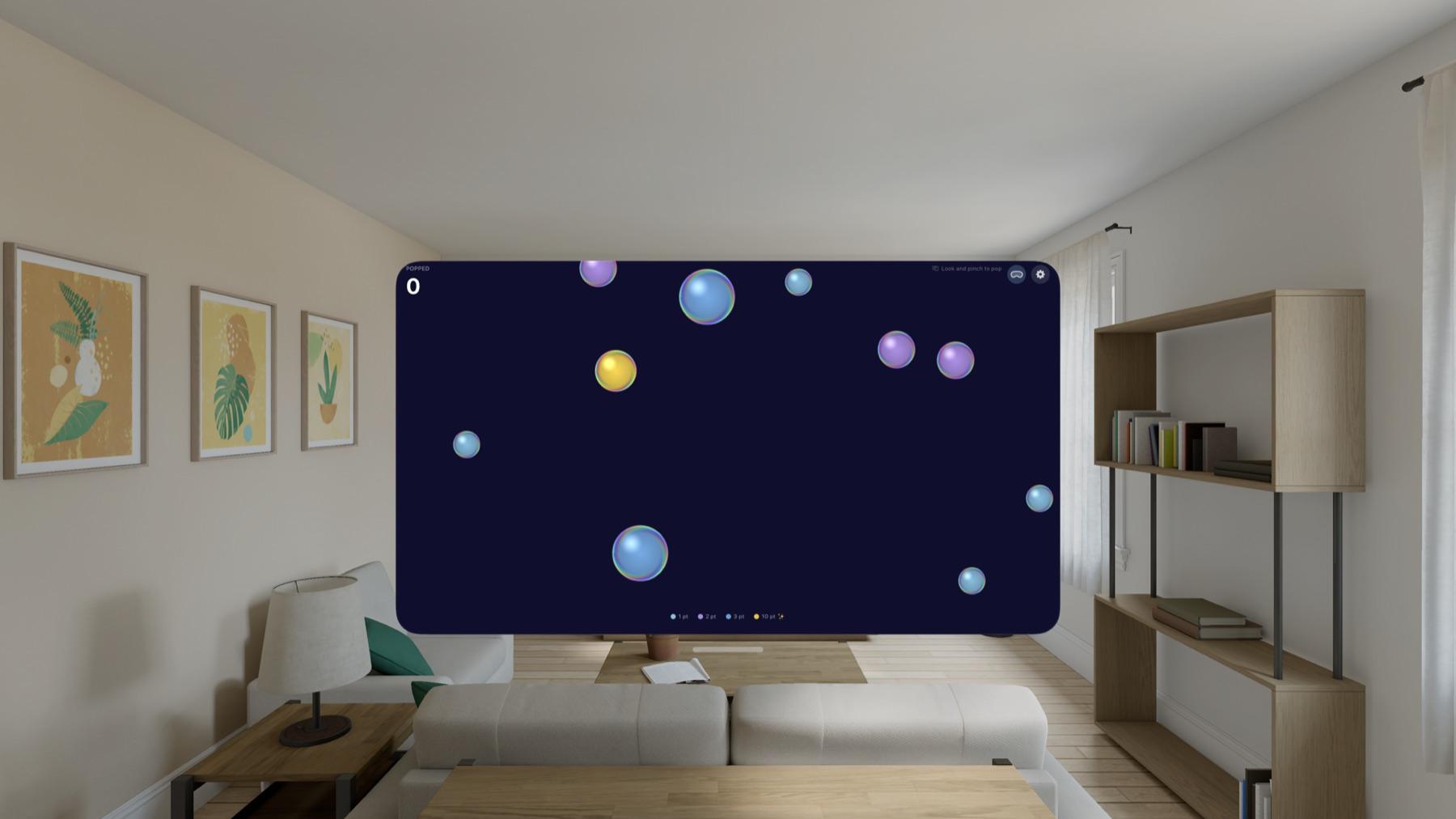
The windowed version. It runs, but it is still a rectangle.
Step two: putting the bubbles in the room
So I rewrote it as an immersive space using RealityKit. This part I had to learn from scratch. On iPhone I draw bubbles on a flat canvas. In RealityKit every bubble is an entity sitting somewhere in your actual room, with a position in three dimensions.
I gave each bubble a small component holding its speed, its drift and a phase value, and wrote a system that moves all of them a little on every frame. That is the pattern RealityKit wants, and once it clicked it was simpler than the code I had on the phone.
Now the bubbles come up past your sofa. You can walk around them.
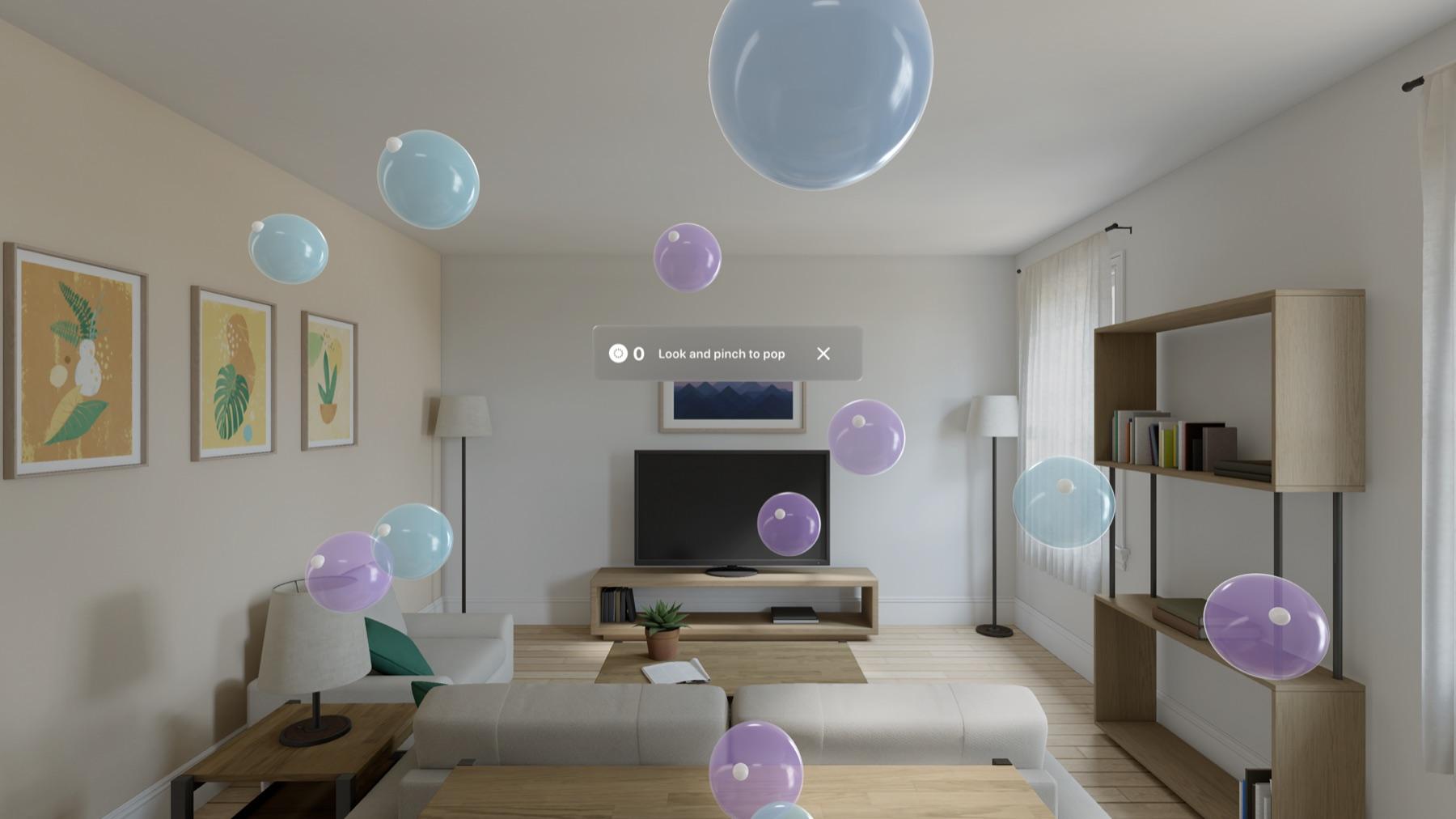
The immersive version. Same bubbles, but they are in the room with you.
Step three: there is no screen to tap
The other thing I had to unlearn is tapping. There is no glass to touch. You look at a bubble and pinch your fingers, and that is the tap. It sounds like a small difference and it is not.
On a phone you pop bubbles fast, because your thumb is already there. With your eyes you go one at a time, and it slows you down. For an app that is supposed to calm you down, that turned out to be a good accident.
I also added bubble speed presets, 5, 10, 25 and 75, because what felt right in a room was not what felt right on a phone.
Where it is now
The Vision Pro version is not on the App Store yet. I am still testing it and getting the submission ready. The iPhone and iPad version is live and free, and version 1.1 has the new shimmering bubbles if you want to try that today.
What I mainly took from this is that porting is not really porting. The rules of the app did not change at all. Everything about how it feels did.
Get DG Stress Buster